Connecting my ISP fiber directly to an OpenWrt box
A no-CPE setup
I've been in contact with OpenWrt since my first job in 2013 and it's been amazing to see an open-source project enduring the test of time like this, not without some drama such as the LEDE fork and the subsequent merge back in 2016-2018, but, more recently, also having first-class citizen hardware like the OpenWrt One.
I always wanted to have the least hardware possible to manage my network, more importantly I would like to avoid equipment from my ISP, the so called CPE, short for Customer Premises Equipment.
Historically, ISPs in Portugal installed two units in the client's location:
- ONT/ONU: the medium converter, from fiber to RJ45. Optical Network Terminal in ITU-T terminology, Optical Network Unit in IEEE.
- Wireless Router: limited in what you can do
More recently, more and more ISPs install an all-in-one router that includes the ONT.
People that wanted to use their network to the fullest extent, relied on bridge mode to their own router, using the ISP's router as the medium converter basically.
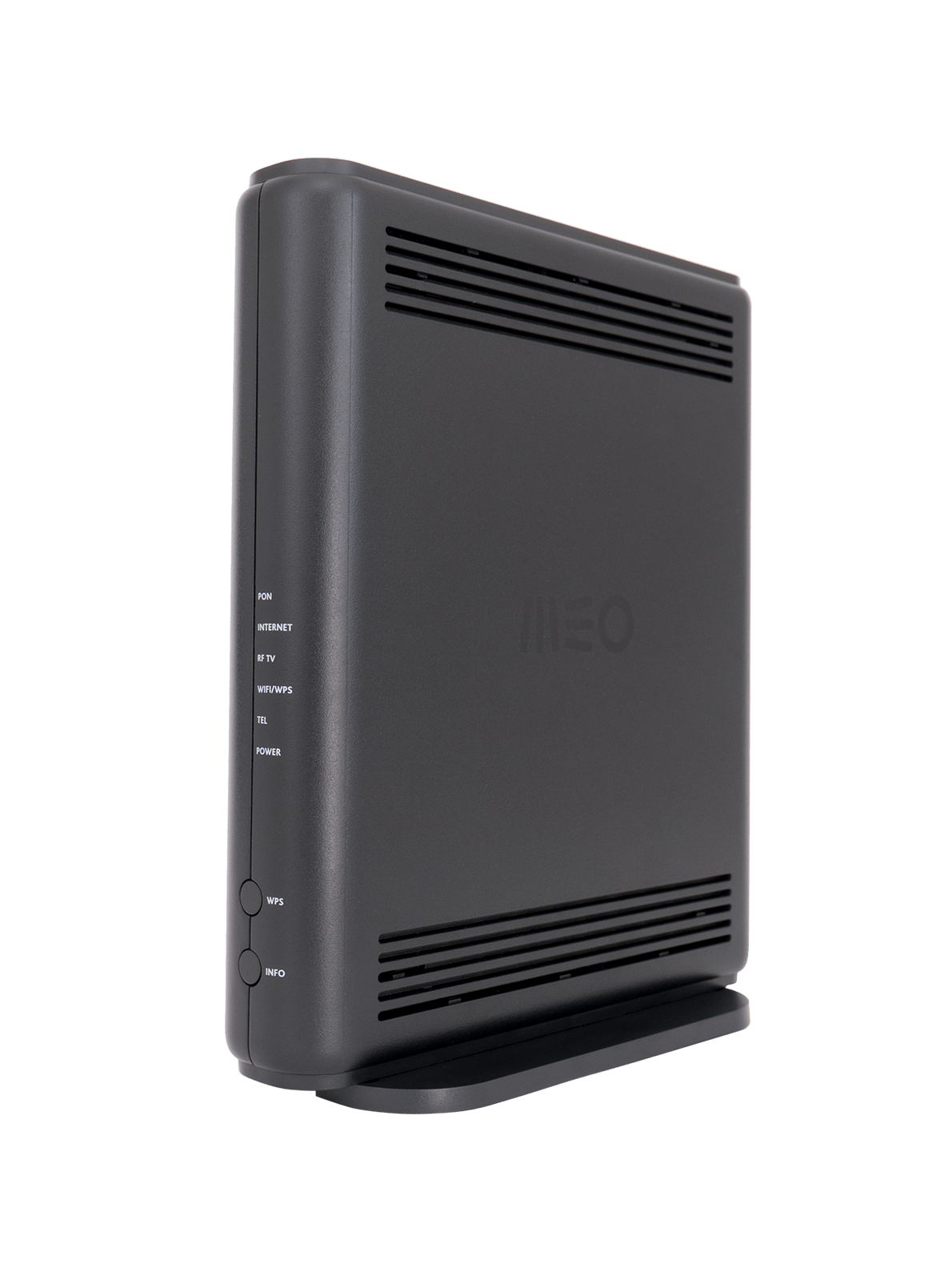
When I contracted MEO, they installed this MEO-branded GR141IG. After exploring the settings, I've noticed some things that I wasn't able to do:
- Change the DNS to all the DHCP clients
- Disabling the public hotspot feature
In addition, I've been running Pi-Hole and a WireGuard tunnel on a Dell Optiplex Micro. Having to dig through the menus to port forward stuff was annoying me.
After talking with a coworker and friend, he told me that he was able to connect his MEO fiber to an OpenWrt device.
Hardware
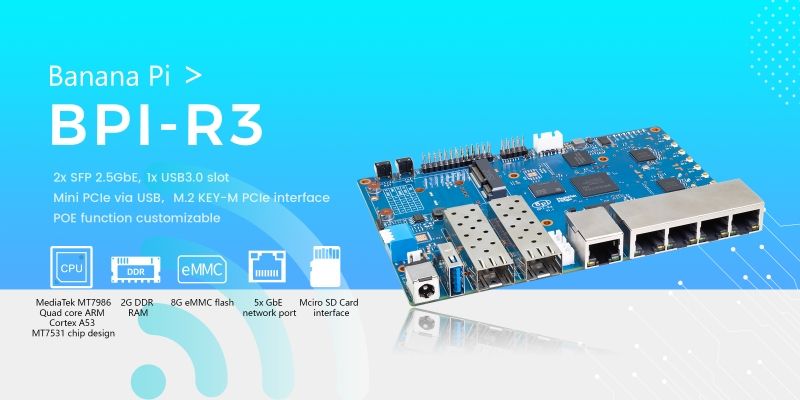
I've chosen a Banana Pi R3, a powerful router board with a quad-core ARM A53, 2GB of RAM, 8GB of eMMC flash, 2 x SFP 2.5Gb ports and 5 x 1Gb ports.
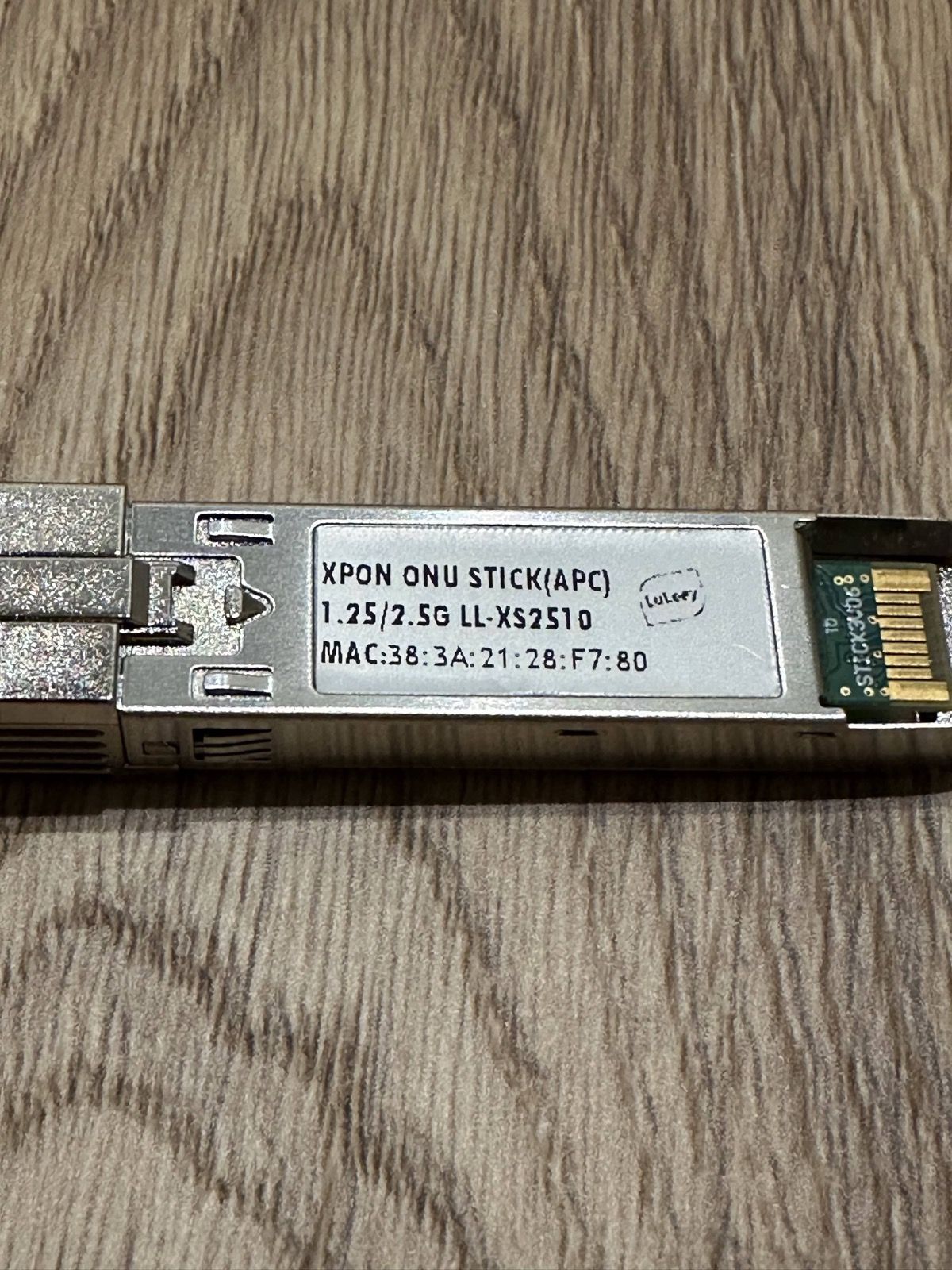
To connect the fiber, I needed a GPON/XPON SFP Stick, I've bought this Luleey Elec LL-XS2510 on AliExpress. It is important to know what type of connector you have, if it has a green tip it is the APC ("Angled Physical Contact"). If it is blue it is the UPC ("Ultra Physical Contact") version. This little device is actually another "router", it runs Linux and it is configured through a webpage.
Configuration
I found a few hints on a Portuguese forum, Zwame, where some people were not successful establishing a link with the ISP-owned OLT, the device at the other end of the fiber. Nevertheless, I tried to set up the GPON.
Some sticks like this don't start the management interface if they don't detect any link so I connected the fiber to the SFP module and booted the Banana Pi R3. I had to SNAT from my network to the SFP interface (I can't remember why actually) but eventually I landed on the GPON management interface.
Logged in with the good ol' admin:admin, navigated to the Settings page and there I needed to setup the authentication of the connection.
Apparently, MEO uses the serial number and a PLOAM password for authenticating each subscriber line.
Take the serial number from the sticker on the bottom of the router. I'm using 5054494EA1B2C3D4 here instead of mine, yours will be different.
The serial is the GPON serial in raw hex. Decoding it as ASCII + hex:
50 54 49 4EisPTIN(PT Inovação, MEO's vendor ID) in ASCIIA1 B2 C3 D4the equipment identifier
Take the equipment identifier and add PTIN in the beginning, producing the serial PTINA1B2C3D4.
The PLOAM password I used is 1234567890. It worked 🤷♂️.
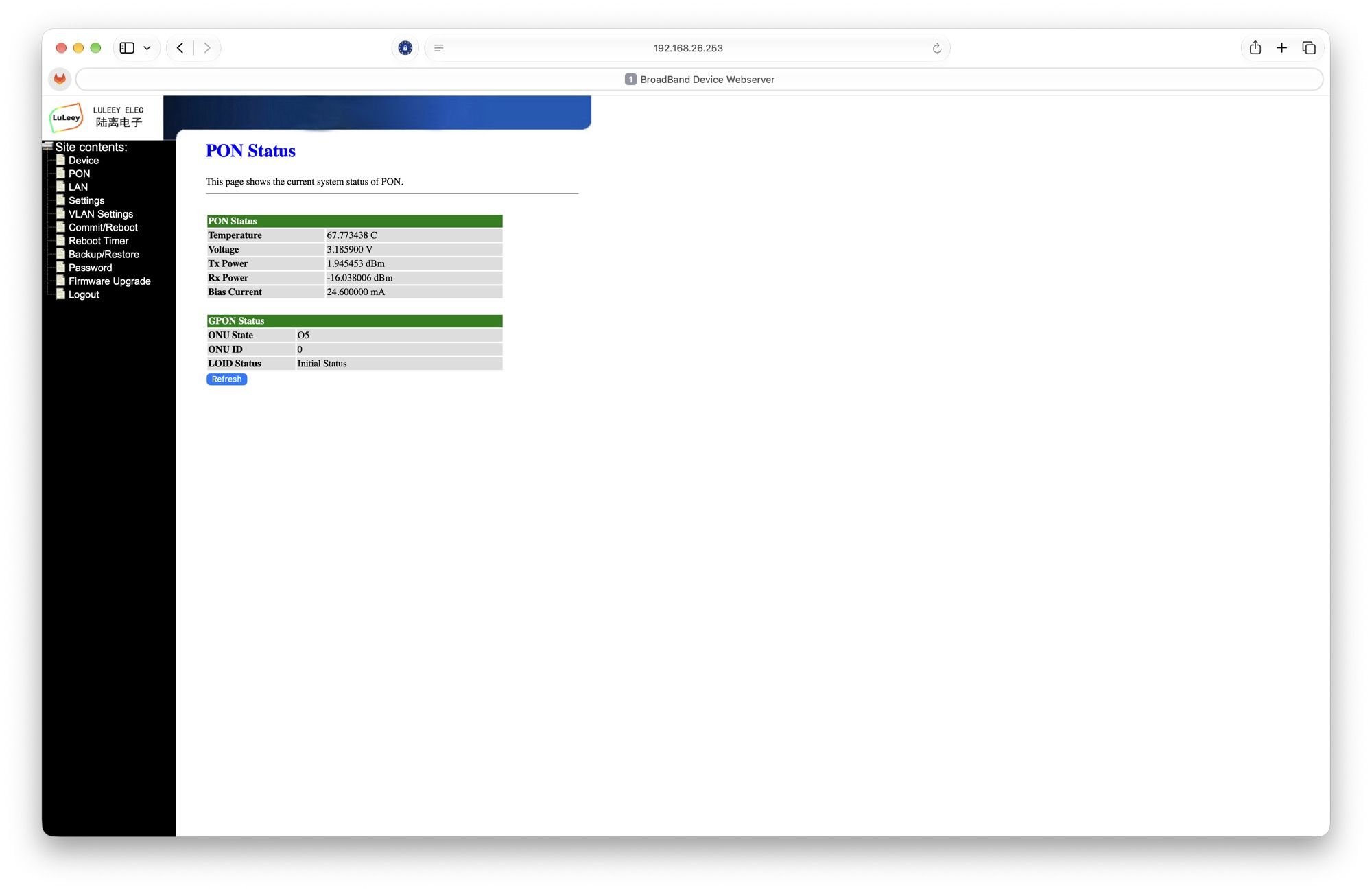
I got an O5, fully operational, ranged and authenticated by the OLT!
After that, created a new interface with VLAN 12 and attached WAN with DHCP and DHCPv6 enabled.
Everything is working perfectly, multicast/unicast on the TV box from the ISP, IPv6 with a /56 delegated prefix.
Recently I was not getting the delegated prefix, and, after a talk with Claude he told me to try to set a DUID-LL, 0003 0001 <original MAC address of the ISP router> and it worked. Your mileage may vary.
Custom firmware for the extra mile
Since I want some tools installed in the router and I like to tinker, I set up an OpenWrt buildroot and I leave you with a non-exhaustive list of good stuff:
- AdGuard Home: moved away from Pi-Hole
- WireGuard and LuCI package
- Tailscale and LuCI package
- Beszel from vernette/beszel-agent-openwrt
- Footstrap: modern theme from VizzleTF/luci-theme-footstrap
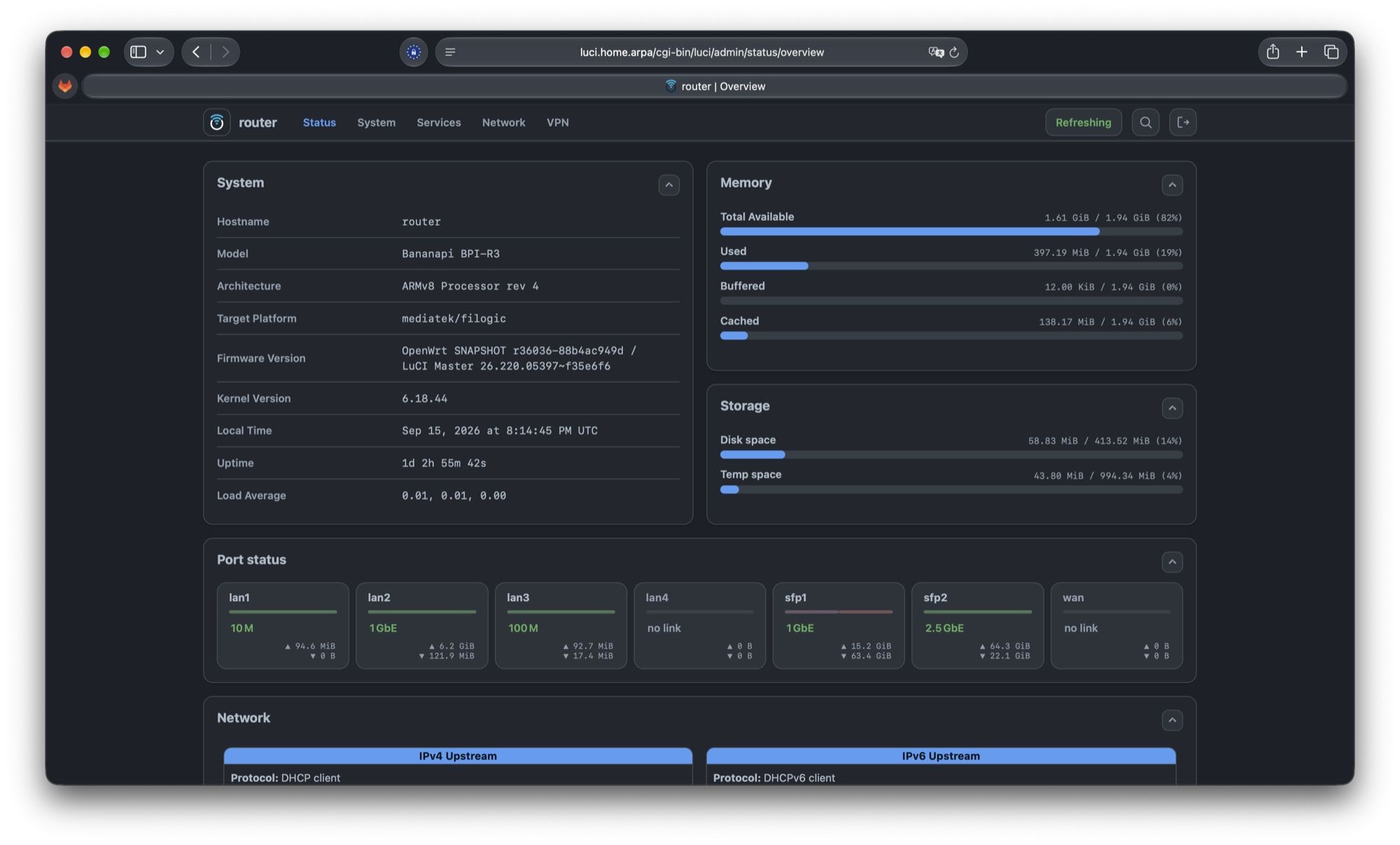
Was it worth it?
Absolutely. I get to configure everything network-related in OpenWrt's web interface LuCI. From DNS records, DHCP rules, AdGuard enforced at network level, WireGuard, Tailscale, all running on the same box that terminates the fiber, so the Optiplex is free for my beefier self-hosted services.
Notice the port status in the screenshot above: the fiber comes in on sfp1, and the
port actually labelled wan has no link at all. It is just another LAN port now.
I've been running this for a full year now, hope this gets easier for the consumer in the future.